
Carroll County Traffic Court Records
The Carroll County Clerk points citation holders to MyCase for public case information and Indiana ePay for ticket lookup and payment. They are separate systems. MyCase displays the case summary and CCS. ePay starts with ticket, license, or name-and-birth-date fields, then reports online eligibility and payment details.
A Uniform Traffic Ticket, or UTT, can move electronically. It goes from the issuing agency into the court system. Its absence online does not prove dismissal. The local clerk says a new citation may take three to five business days to appear. Also, a record with no listed fines can require an appearance rather than online payment.
Carroll Circuit Court handles general infraction and ordinance matters. Delphi City Court still shows as an Odyssey identifier. But an official city record described that court as inactive because of a judicial vacancy in 2025. Check the court printed on the ticket and the current route rather than assuming every municipal citation has its own city docket.
Carroll County ePay Search Modes
The Indiana ePay form gives you three ways to locate a ticket. The ticket-number route is the most direct when the UTT is readable. A license-number search is another option. The name route requires a date of birth. It supports first, middle or middle initial, and last name fields.
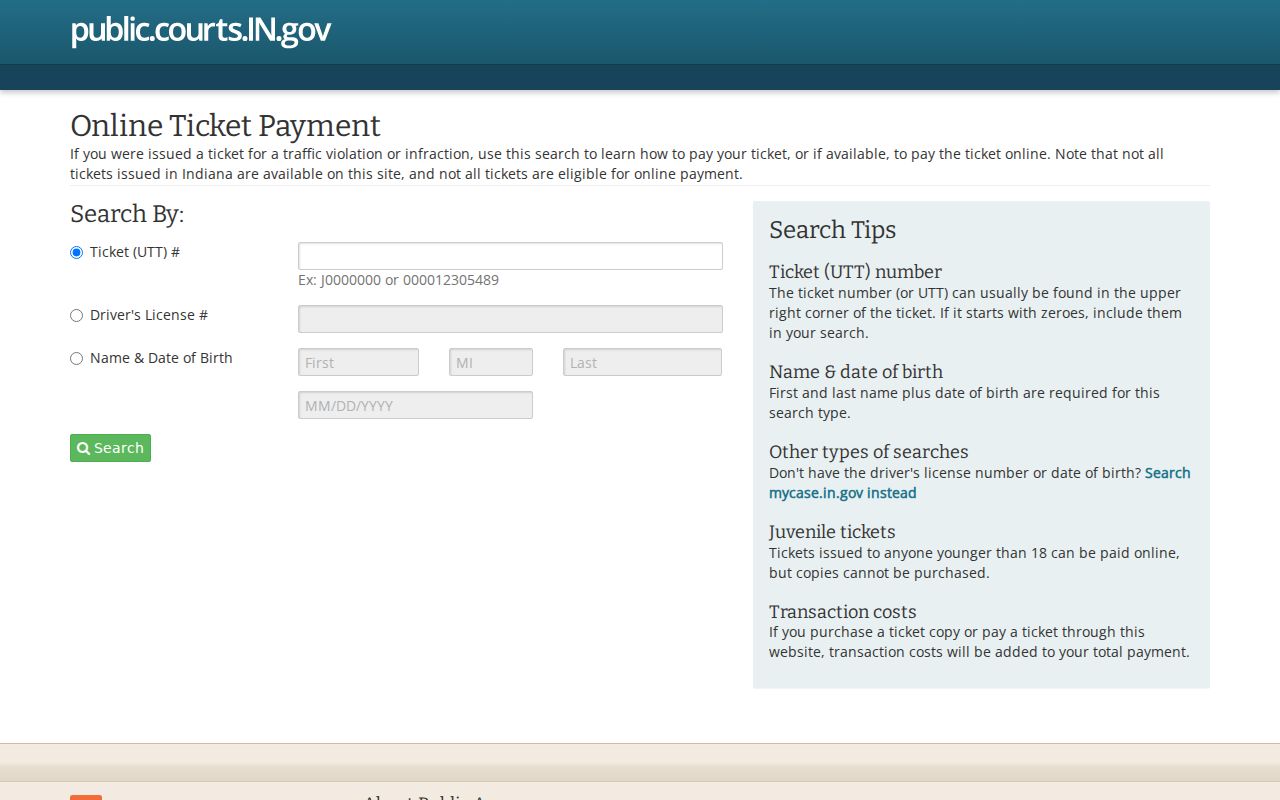
Pick one mode and fill in its matching fields. One empty result does not mean the ticket is resolved. Spelling, number format, filing delay, court transmission, or online eligibility can each affect what comes back.
| Search choice | Fields | Best use |
|---|---|---|
| Ticket (UTT) # | Ticket number | Exact citation is in hand |
| Driver's License # | License number | UTT cannot be read or found |
| Name & Date of Birth | First, middle/MI, last, DOB | Identity fields are known |
Looking Up a Traffic Ticket
Read the citation first. Find the UTT, issuing agency, named court, and any appearance instruction. Then open ePay and choose the matching search mode. When a result appears, check the paper citation. Compare the ticket date, agency, court, case, offense, and balance. MyCase offers a second view through its Citation Number field and its financial section.
- Wait for the normal filing interval if the ticket is new.
- Search ePay with the exact UTT number.
- If needed, try the supported license or name-and-DOB mode.
- Open MyCase and search the citation number or party name.
- Call Carroll County Clerk at (765) 564-4485 if the ticket remains missing.
The clerk counter sits at 101 W. Main Street in Delphi. A mailed payment, when allowed, should include the ticket copy and an accepted instrument. Phone and in-person card options carry the current processing charge. Confirm the amount and status before sending funds.
Carroll County Ticket Filing Delay
The official Carroll County Clerk instructions state that a new ticket can take three to five business days to enter the online system. That local lag matters most when a search is made just after the stop or issuance date.
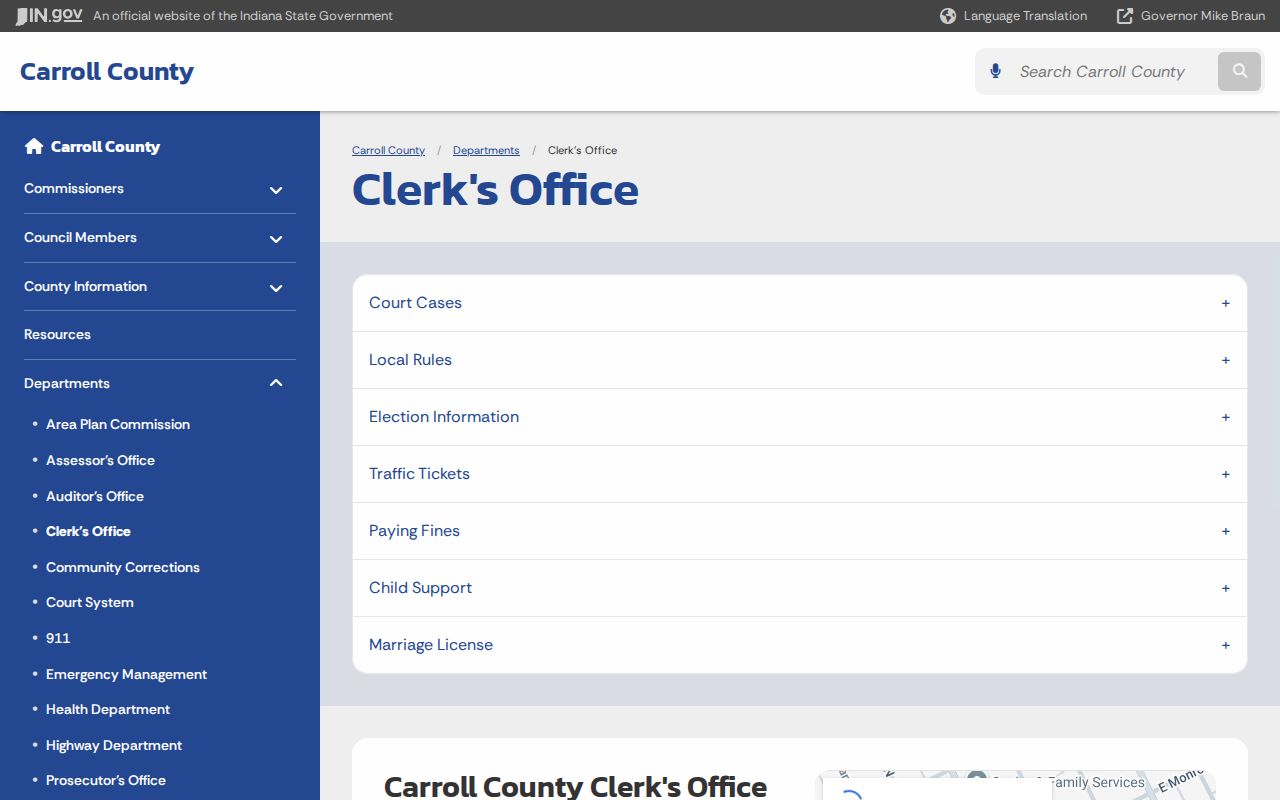
Once that window passes, verify the UTT characters and contact the clerk. Repeated guesses can pull the wrong record. Keep the paper citation, because its court and agency details help staff trace the filing.
No ePay result and no displayed fine do not prove that Carroll County dismissed a citation.
How to Find Your Traffic Court Date
A citation may print an appearance date, or the court setting may appear after filing. Search the Indiana Court Calendar by Carroll County and the named trial court. Then compare the result with MyCase. The calendar currently lists Carroll Circuit and Carroll Superior courts. Delphi City Court is not listed. So a municipal identifier in Odyssey does not guarantee a calendar result.
| Citation key | UTT number, shown generically as UTT-LETTER/NUMBER FORMAT |
|---|---|
| Court case key | Carroll county/court code, filing month, case type, and sequence |
| Date and time | Scheduled session, subject to reset or cancellation |
| Court and location | The court assigned to the citation and displayed location |
| Setting description | The listed purpose of the hearing |
| Judicial officer | The officer assigned in the calendar entry |
The calendar shows current settings, while MyCase's CCS is the event history. A later reset, continuation, or cancellation can change the date. Contact the court when the paper citation, calendar, and CCS disagree.
Carroll County Electronic Citation Path
The Indiana Judicial Branch's electronic citation overview explains the statewide eCWS system. Electronic transmission links citation data with courts and the Bureau of Motor Vehicles. This cuts manual entry, though every agency's record does not merge into one file.
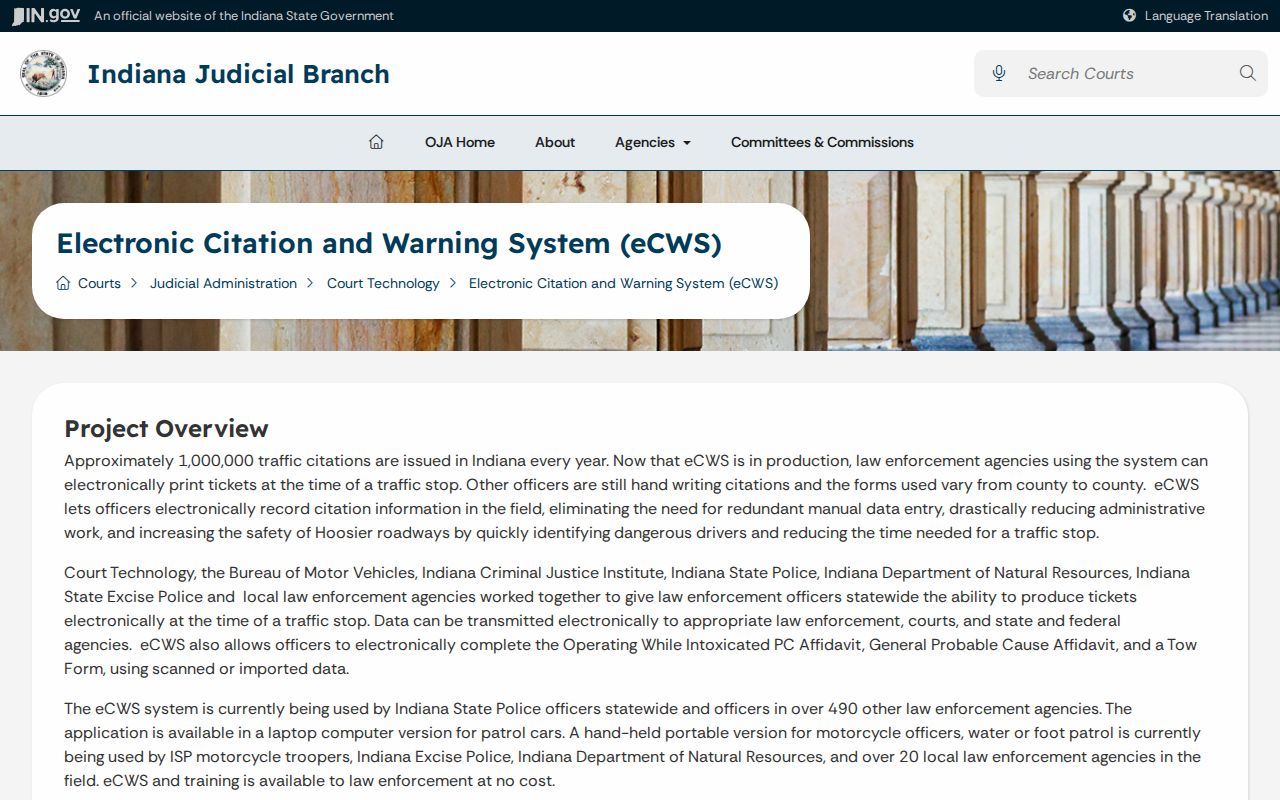
The court still controls its case docket. The issuing agency controls its own enforcement record. The state licensing agency keeps the driving record. That division explains why an entry can exist in one system before it shows up in another.
Pay or Contest a Ticket
Paying and contesting are not two buttons with the same legal effect. ePay may offer Admit or Nolo Contendere. The interface requires an acknowledgment that the plea and payment have the effect of a judgment and waive rights that include trial. Read the court record and the displayed terms before choosing.
| Pay or enter displayed plea | Contest or seek another route |
|---|---|
| Confirm ticket, court, offense, balance, fees, and eligibility | Follow the court's appearance and filing instructions |
| Review the acknowledgment and effect of judgment | Do not pay first if the goal is to challenge the citation |
| Keep the receipt and recheck the court entry | Ask about procedure, not legal strategy, from court staff |
| Use only a method accepted by the Carroll Clerk | Contact the prosecutor only for the documented deferral route |
The Carroll County Prosecutor runs a deferral program for qualified drivers. Call (765) 564-4514 for the local program. Qualification and acceptance are not guaranteed. Clerk staff can explain the record and payment channel but cannot decide whether a plea, challenge, or deferral is best for you.
Failure to appear or respond can trigger further court action; confirm the setting and contact the court promptly if a date was missed.
Carroll County Payment Channels
The Carroll County Clerk counter takes cash, cashier's checks, certified checks, and money orders made out to Carroll County Clerk. Leave the personal checkbook at home. Cards work in person or by phone, with a 3.5% fee tacked on. Paying online costs $4 plus a 2% card-processing fee. Confirm the amounts first, because the figure the clerk currently displays is the one that controls.
By mail, send a cashier's check, certified check, or money order. Include a copy of the ticket. Add enough detail that the clerk can match the payment to your citation. Cash through the mail is a bad idea. Keep a copy of everything you sent. Then check the court docket to confirm the payment landed.
What if no fine shows? The clerk's instructions are clear: you must appear in court. The payment portal only covers eligible matters. Even when the online option is open, it never excuses you from reading the citation and the court entries yourself.
Traffic Court Record vs Driving Record
Don't confuse two very different files. A Carroll County traffic court record and an Indiana driving record are kept separately. Different offices hold them. The clerk maintains the court record. It can show the citation case, its filings, the hearing setting, a plea or judgment, financial entries, and the court disposition. The Bureau of Motor Vehicles maintains the driving record. Yes, eCWS can pass ticket data between the issuing process, the court, and the BMV. That exchange still does not make the two records identical.
| Court traffic file | State driving file |
|---|---|
| Custodian: Carroll County Clerk and court | Custodian: Indiana Bureau of Motor Vehicles |
| Shows the judicial case and its docket events | Shows the state licensing record |
| Use MyCase, ePay, clerk, and court calendar | Use the BMV's official record route |
The Carroll Clerk publishes the BMV Solution Center number, (317) 232-2798, for licensing-record questions. Direct each question to the agency that owns the file you want.
Carroll County Ticket Fields
An ePay result can display a lot. Expect identity and address, ticket date, agency, court, case, offense, balance, online status, copy links, fees, deferral, plea choice, acknowledgment, and payment.
Each field answers a different question. Agency and court tell you where the citation began and where the case is heard. The case number ties the ticket to the judicial record. Balance and eligibility go to the current online option. Plea and acknowledgment explain what the transaction actually does.
Never treat a charge label as the final result. Check the CCS for later events and the disposition. Keep your payment confirmation too. Do that until the financial entry shows up and the court route is complete.
Copies and Fees
A ticket copy, a court docket copy, and a certified court record are three different products. ePay may offer a copy option inside an eligible transaction. MyCase can show public docket details. For ordinary or certified court copies, the Carroll County Clerk handles the request, so say exactly what you need and identify the ticket and case.
| Item | Route | Cost note |
|---|---|---|
| Online eligible payment | Indiana ePay | $4 plus 2% card processing |
| Card at counter or phone | Carroll County Clerk | 3.5% fee |
| Cash or approved instrument | Clerk counter or eligible mail route | Confirm exact balance |
| Ordinary or certified court copy | Carroll County Clerk | Confirm copy and certification charge |
The Indiana e-filing schedule offers helpful context on electronic court workflows. Filing systems, though, never replace the traffic search and payment routes.
Match the tool to the task. Use ePay for an eligible citation, MyCase for the public docket, Court Calendar for a public setting, and the clerk for official confirmation or copies. That sequence keeps every task with its correct system.